Samsung eToken for CPID IMEI Repair & Combination Flash
The Samsung eToken for CPID IMEI Repair & Combination Flash is a one-time, device-specific token used to bypass the error:
“Please get approval to use the factory binary”
This error appears on Samsung devices when flashing a combination file. With this eToken, your device will successfully accept the flash process, making it possible to proceed with IMEI repair, carrier unlock, or advanced service procedures.
⚠️ Warning: This service will wipe all data on the device. Remove your SD card, back up all important data, and delete any accounts linked to the phone (Google, Samsung, etc.) before you begin.
How It Works
-
Get Your DID Number
-
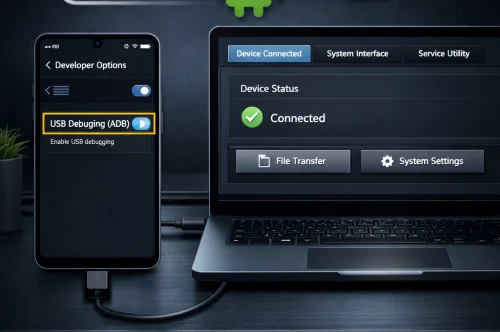
Boot the device into Download Mode or use ADB:
-
Copy the DID number carefully.
-
Double and triple check your DID before submitting. Incorrect submissions cannot be refunded.
-
-
Place Your Order
-
Submit the correct DID number at checkout.
-
Tokens are generated per device and are non-transferable.
-
-
Receive Your Token
-
The token is delivered within 1–5 minutes of order confirmation.
-
Each token is single-use only — one flash per device.
-
-
Flash Your Device
-
Use a modified version of Patched Odin with the token.
-
Flash the combination firmware, complete your process, then reflash stock firmware to restore the phone.
-
What’s Included
-
One Samsung eToken tied to your submitted DID.
-
Ultra-fast delivery (average 1–5 minutes).
-
Compatibility with all Samsung models requiring a token for combination firmware flash.
Important Conditions
-
Data Wipe: Flashing will erase all data. Backup first.
-
Single Use: Each token works only once on the DID provided.
-
Firmware Responsibility: You must have the correct combination and stock firmware for your device. Incorrect firmware flashes are not refundable.
-
No Refunds: Wrong DID submission, bad firmware use, or failed attempts caused by user error are not eligible for refunds.
-
One Chance Only: Each device can only use its token once. If flashing fails, a new token/order is required.
Additional Notes
-
If you purchase the full IMEI repair or carrier unlock service from IMEI Repair Server, you do not need to buy the token separately. All required files and the token are provided as part of the complete service.
-
For Debug, Combination, and other files (both free and paid), visit GSM Supporters File Store.
Frequently Asked Questions (FAQs)
Q1: What does the Samsung eToken fix?
It removes the “Please get approval to use the factory binary” error when flashing combination firmware.
Q2: Where do I find my DID?
In Download Mode, or with ADB: adb shell getprop ro.boot.em.did.
Q3: How fast will I receive the token?
Within 1–5 minutes of placing your order.
Q4: Can I reuse the token?
No. Tokens are one-time only and tied to a specific DID.
Q5: Will my phone data be erased?
Yes. Flashing combination and stock firmware wipes everything.
Q6: Do I need to purchase firmware separately?
Yes, unless you order the full IMEI repair/unlock service — then all required files and the token are included.
Q7: Is this service refundable?
No. Incorrect DID, wrong firmware, or failed user flashing attempts are not refundable.
Order & Support
-
Order Now: https://gsmsupporters.com/
-
Files & Downloads (free + paid): https://gsmsupporters.com/
-
For questions or compatibility checks, contact support with your exact model, region, and DID number before ordering.